 American College of Emergency Physicians
Before You Go
How to Access and Print Your Booth / Exhibitor Invoice
You can log in to your account to view your balance, make credit card payments, and print your invoice (receipt) at the time of payment.
If you prefer to make a payment by phone, please contact your ACEP account representative directly.
- Log in to My Account using your company’s password (This information is provided in the Accelerate 2026 confirmation email).
- Click on “View/Pay Invoice” to see your current balance or complete a payment.
Note: All exhibiting companies must be paid in full prior to the conference. Companies with outstanding balances will not be permitted on the show floor or allowed to set up their booth space. For complete details on payment and cancellation policies, please refer to our Rules & Regulations.
Manage Company Information
New this year! We’re streamlining the process and having you enter everything directly into the ACEP Events mobile app. Steps to follow are below:
- Sign on to events.acep.org, make sure you’re in the ACEP Accelerate 2026 event space, and go to your company’s Exhibitor Center
- You’ll have the opportunity to enhance your presence with logos, a company description, graphics, videos, and more.
- Please complete your information by Wednesday, January 14
- As always, we’re here to help if you have questions
The following information MUST be managed by ACEP. To make changes, please email us.
- Company Name
- Exhibiting as (Name)
- Booth Number
Add Team Members to Booth
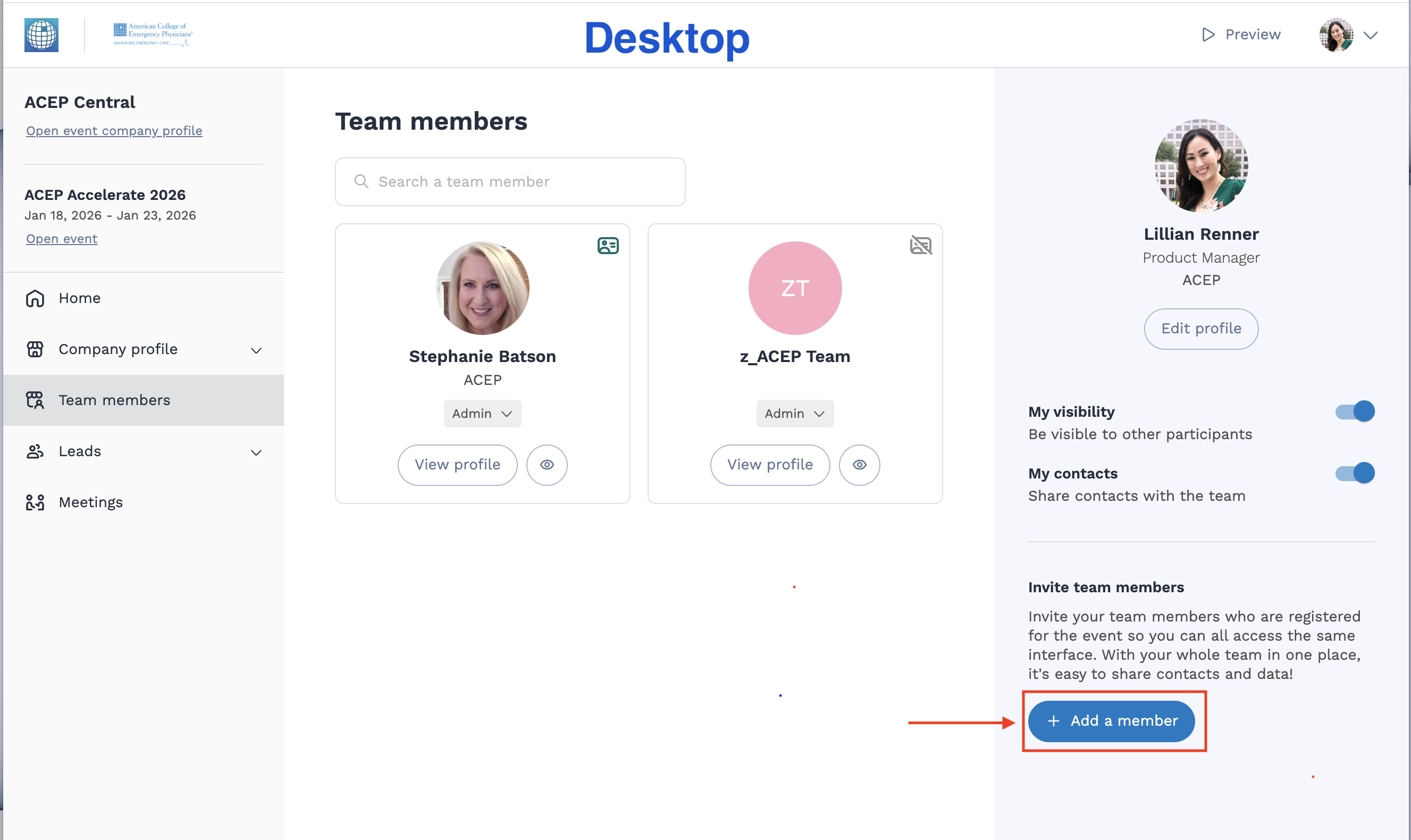
Once your team members have registered as booth personnel, you will need to sign in to your exhibitor center on the ACEP Events website and add them to your booth. To do so, follow the steps below:
- Go to events.acep.org and select ACEP Accelerate 2026
- Sign in and click on your company name under your large profile
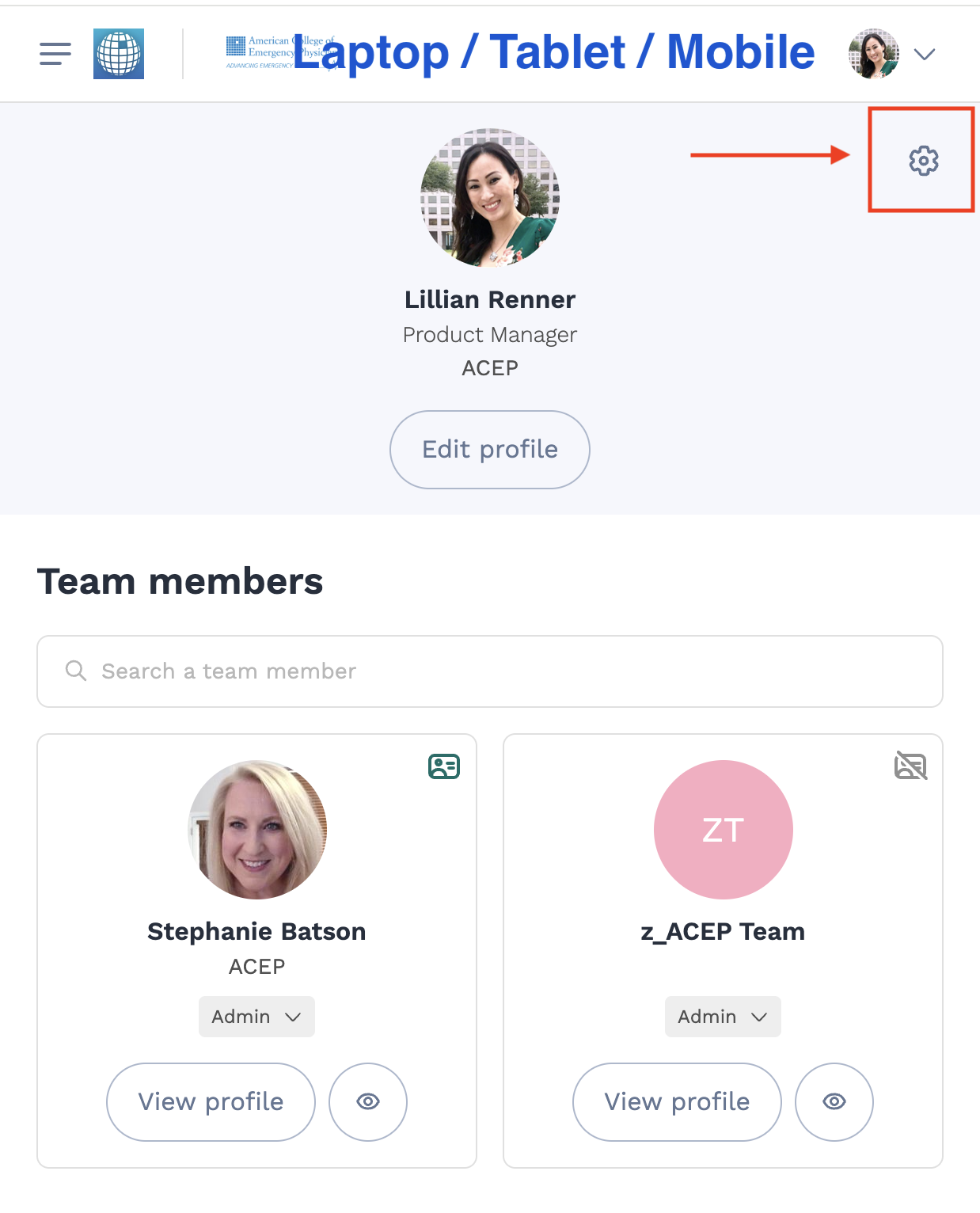
- From the left navigation (or hamburger menu), click on Team Members
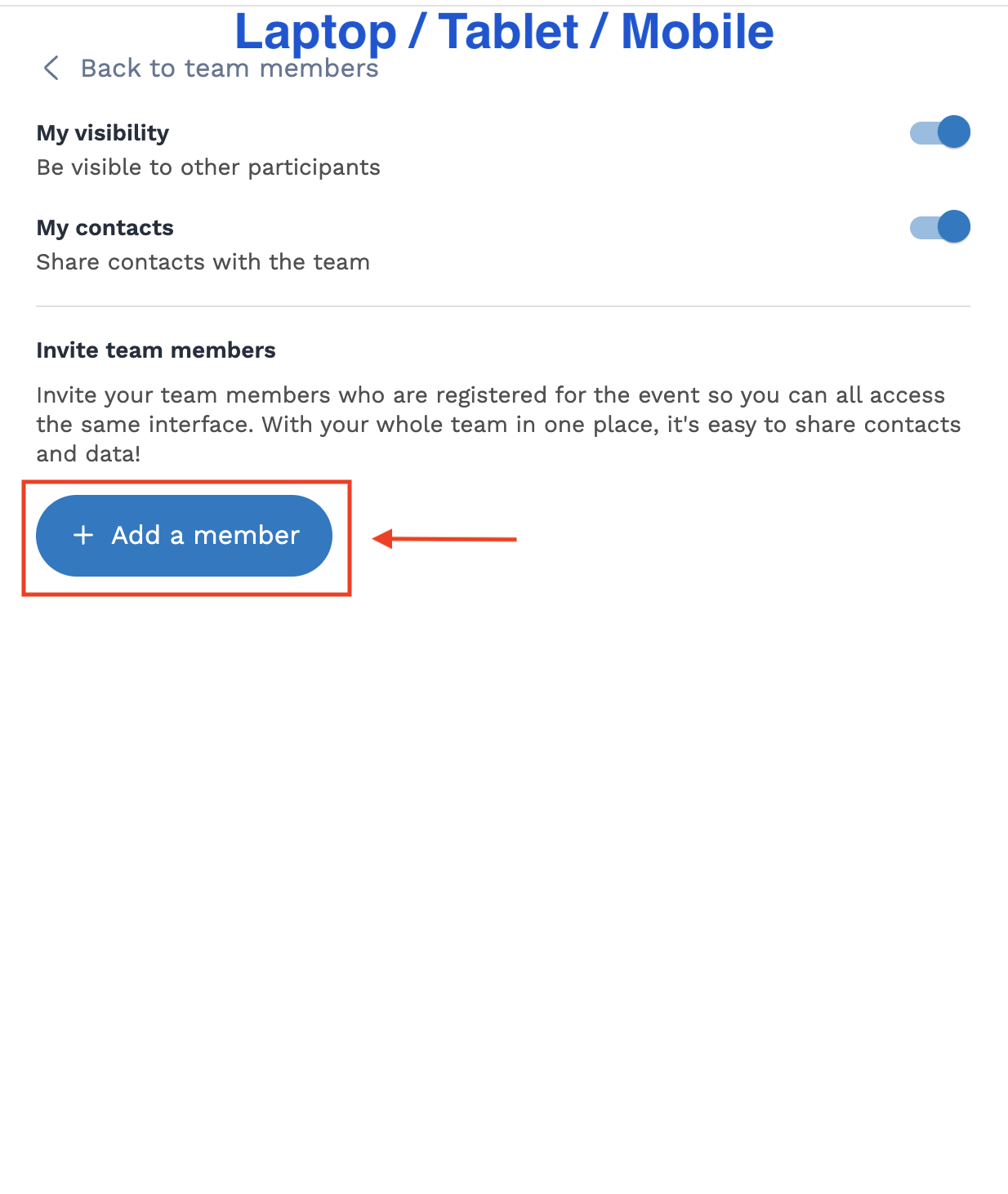
- Click the Add Member button (for desktop version) or click on the gear icon (for smaller devices) (See below for screenshots)
- Follow the required steps, and you’re done!
Download ACEP Events App
Get the most from your conference experience with the ACEP Events App.