 American College of Emergency Physicians
Before You Go
How to Access ACEP26 Exhbitor Invoice
You can log in to your account to view your balance, make credit card payments, and print your invoice (receipt) at the time of payment. If you prefer to make a payment by phone, please contact your ACEP account representative directly.
- Log in to My Account using your company’s password (This information is provided in the email with subject: ACEP26 Exhibit Confirmation Letter - PLEASE READ).
- Click on "View or Pay Invoice/Receipt" to see your current balance or complete a payment.
Note: All exhibiting companies must be paid in full prior to the conference. Companies with outstanding balances will not be permitted on the show floor or allowed to set up their booth space. For complete details on payment and cancellation policies, please refer to our Rules & Regulations.
Manage Company Information
Manage from Desktop
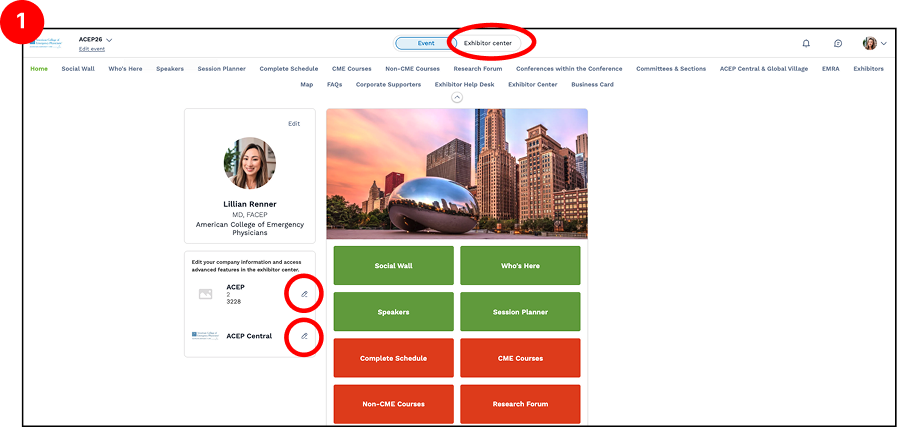
- Go to https://events.acep.org > Select Exhibitor Center (top of page), or click the edit icon next to the company logo
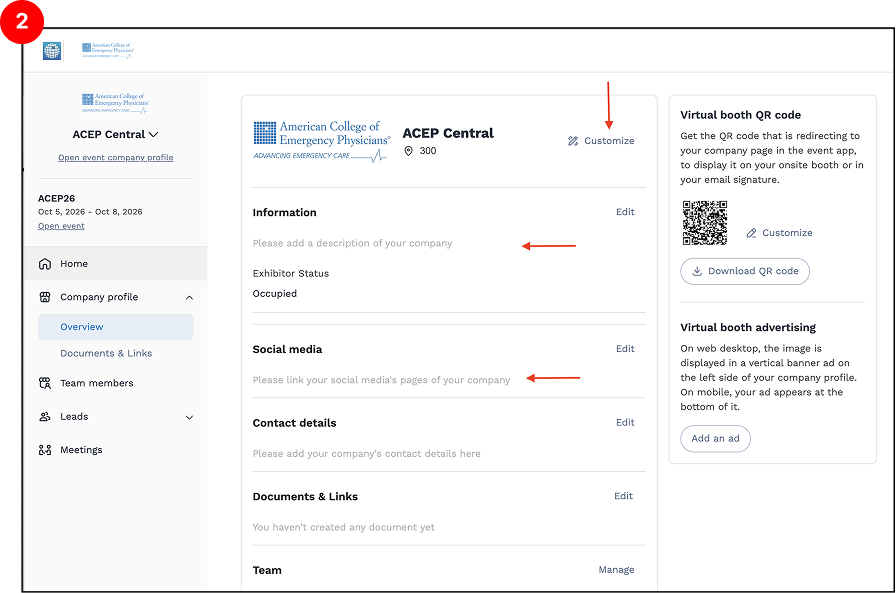
- Click Customize and Edit button to update your company information as needed.
This section allows you to enhance your company’s presence by adding your logo, company description, images, videos, and other promotional content. Please ensure your profile information is completed by Monday, September 21. If you have any questions or need assistance, please contact us at exhibits@acep.org. We're happy to help
Manage from Mobile or Tablet
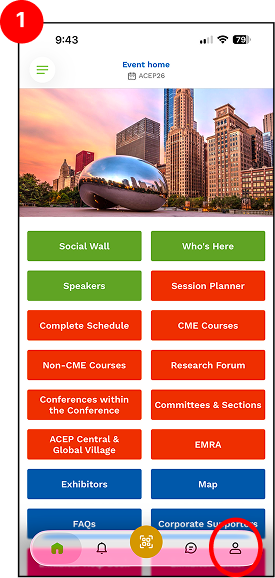
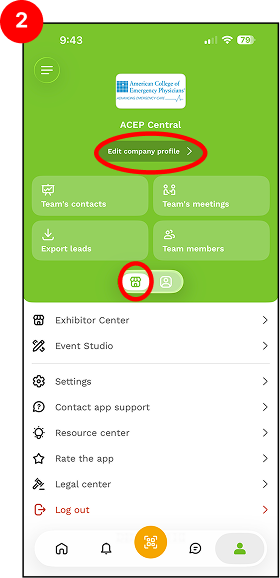
- Open the ACEP Meeting App and tap the Profile icon (bottom right).
- Select Exhibitor Center > Edit company profile
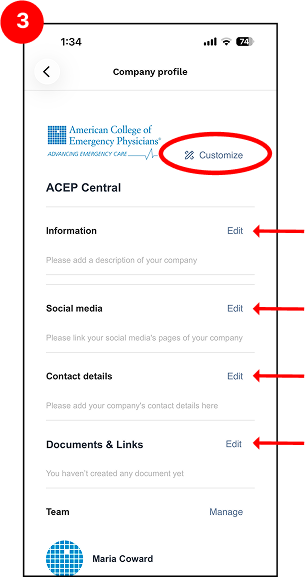
- Click Customize and Edit button to update your company information as needed.
Please Note: The information below cannot be edited directly. To request any changes, please contact us at exhibits@acep.org.
- Company Name
- Exhibiting As (Name)
- Booth Number
Download Our Mobile App - ACEP Events